
Creator Account Launch Guide Cover
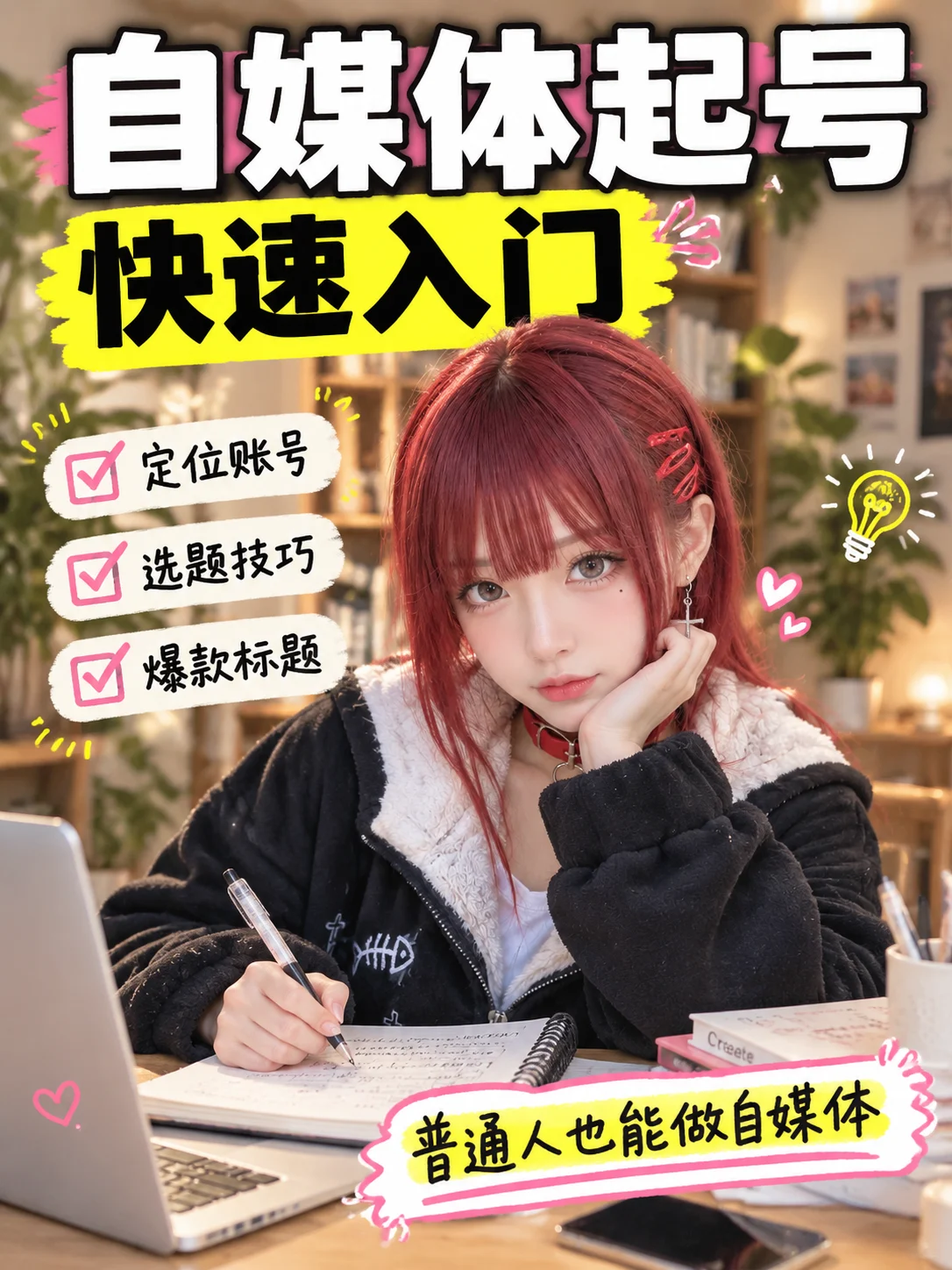
Camera Create one 3:4 vertical Xiaohongshu cover optimized for mobile feeds. Use a top-to-bottom layout: the two-line headline fills roughly the top third; the person and concise s…
Model recorded for this example: gpt-image-2.5
Complete prompt
Camera Create one 3:4 vertical Xiaohongshu cover optimized for mobile feeds. Use a top-to-bottom layout: the two-line headline fills roughly the top third; the person and concise supporting points occupy the middle; creator tools and a bold supporting sticker sit at the bottom. Prioritize the headline. Place the person around the lower center, showing the head, shoulders, and upper body clearly. Keep safe margins and thumbnail-size legibility. Scene A warm, bright, modern content-creation space. Use softly blurred shelves, a houseplant, and gentle warm light in the background. Arrange a notebook, phone, tablet or computer, and a few stationery items neatly on the foreground desk to suggest account planning. Keep the composition layered but uncluttered. Subject Use a person as the main visual. If a reference portrait is uploaded, strictly preserve the person’s facial features, hairstyle, skin tone, and overall identity. Without a reference, create an approachable, confident, energetic content creator. Dress them in simple contemporary casual or business-casual clothing, with natural realistic skin texture. Action Place the person in the middle-lower area, facing the camera with a focused, thoughtful expression. One hand naturally holds a pen with its tip directed toward a notebook on the desk; the other gently supports the chin with relaxed fingers, suggesting they are planning a social-media launch. Keep both hand gestures clear and believable, away from the face. At the top, render this exact headline on two separate lines: Line 1: “自媒体起号” — the largest type, bold and prominent, in white or a dark contrasting color. Line 2: “快速入门” — directly beneath it, slightly smaller but still prominent, highlighted in bright yellow or fluorescent yellow-green, optionally on a simple color block. Leave clear spacing between lines. Keep all characters exact, complete, correctly oriented, non-mirrored, and non-repeating. Beside the person, a compact three-item checklist may read exactly: “定位账号”, “选题技巧”, “爆款标题”. Add a bold hand-drawn-outline sticker near the bottom reading “普通人也能做自媒体”. Keep supporting copy accurate and smaller than the main headline; do not overlap the person or desk props. Lighting / Color Use warm, soft indoor daylight on the person, with warm brown, ivory, and dark neutral tones in the background. Create strong headline contrast with white or dark text and a bright yellow accent. Use subtle warm highlights for an approachable, positive, trustworthy mood. Make it feel like a high-performing Xiaohongshu educational cover: clear and energetic without crowding. Negative Prompt Side-by-side split layout, headline placed at the side instead of the top, undersized main title, headline lines merged, incorrect text order, “快速入门” without accent color, person covering the title, subject too small or cropped, pen or hand covering the face, stiff gesture, supporting copy larger than the main title, garbled text, misspellings, mirrored or duplicate text, cluttered desk, too many devices, dark or overexposed background, identity drift, deformed face, malformed fingers, extra limbs, excessive skin smoothing, plastic skin, low contrast, low resolution, blur, watermark, logo.
Results vary by model and settings. Keep the subject and composition, then adjust lighting, materials or background for your own project.
Use prompt